Google Antigravity Explained: Complete Multi-Agent Development Platform Guide 2026
Google Antigravity is an agent-first development platform from Google that helps developers delegate end-to-end tasks to AI agents. Instead of using AI as autocomplete, you assign outcomes—plan, implement, run, and verify—across the editor, terminal, and browser.
What makes Google Antigravity feel different is the workflow: you manage agents like teammates and review results through Artifacts such as plans, diffs, screenshots, and browser-based checks. It’s currently available in public preview, and the real value comes from turning “trust me” into repeatable evidence you can approve.
What Is Google Antigravity?
Antigravity is an AI-native development environment built on the foundation of VS Code but reimagined for multi-agent workflows. Launched on November 18, 2025, Google Antigravity represents Google’s answer to the growing demand for agentic AI systems that can autonomously plan, execute, and refine software projects.
The platform shifts the paradigm from code-first to agent-first development. Instead of writing every line manually or relying on simple autocomplete suggestions, you describe what you want to build, and the agents handle the planning, implementation, testing, and iteration.
Multi-Model Architecture
Google Antigravity stands out by supporting multiple AI models, giving developers flexibility to choose the right model for each task. The multi-agent development platform includes Gemini 3 Pro in High and Low configurations, the new Gemini 3 Flash for faster responses, Claude Sonnet 4.5, Claude Sonnet 4.5 with extended thinking capabilities, Claude Opus 4.5 for maximum reasoning power, and GPT-OSS 1208 in Medium configuration.
This multi-model approach means you can select Gemini 3 Flash for quick code completions, Claude Opus 4.5 for complex architectural decisions requiring deep reasoning, or GPT-OSS for specialized tasks where its strengths shine. The ability to switch models within the same project gives it a significant advantage over competitors locked to single AI providers, making it particularly strong when evaluating the best AI coding agents available today.
Agent-First Philosophy
Traditional IDEs treat AI as an assistant—you write code, and the AI suggests completions. Antigravity flips this relationship. You act as the project manager, defining goals and requirements, while AI agents become your development team executing the actual work.
This agent-first approach works particularly well for full-stack development, rapid prototyping, and complex multi-component systems where coordinating different parts of a project traditionally requires significant mental overhead.
Core Features and Capabilities
Mission Control Interface
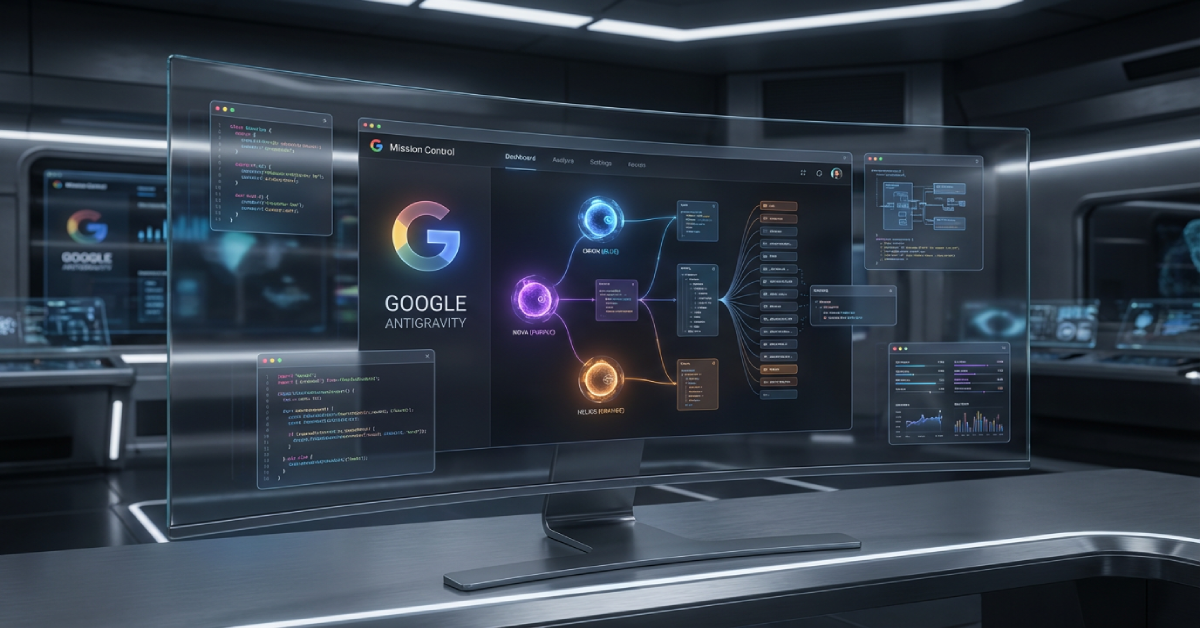
The Mission Control interface serves as your command center for managing multiple AI agents. Instead of juggling different windows and contexts, you get a unified inbox where all agent communications flow, making it easy to track what each agent is doing and coordinate their activities.
Through Mission Control, you can assign different agents to separate workspaces, allowing parallel development on frontend, backend, database, and testing tasks simultaneously. Each agent maintains its own context and memory, ensuring they don’t interfere with each other’s work.
Planning Mode and Fast Mode
Google Antigravity offers two distinct conversation modes that fundamentally change how agents approach tasks. Planning Mode encourages agents to plan before executing, making it ideal for deep research, complex tasks, or collaborative work where you want to see the agent’s reasoning and approve approaches before implementation.
Fast Mode directs agents to execute tasks immediately without creating detailed plans, perfect for simple tasks that can be completed faster like adding buttons, fixing typos, or generating straightforward boilerplate code. Switching between modes takes one click, letting you optimize speed versus deliberation based on task complexity.
Flexible Model Selection
During any conversation, you can switch between available AI models depending on your needs. Start with Gemini 3 Flash for rapid prototyping, then switch to Claude Opus 4.5 when tackling a complex refactoring challenge requiring advanced reasoning, and use Claude Sonnet 4.5 for balanced performance on most coding tasks.
Each model brings unique strengths—Gemini models integrate deeply with Google’s ecosystem and offer massive context windows, Claude models excel at reasoning and code quality, and GPT models provide specialized capabilities for certain programming paradigms.
Agentic Browser Integration
One of the platform’s standout features is its built-in browser agent that can test and verify your applications in real-time. When you ask an agent to build a user interface, it automatically opens a browser, interacts with the UI, validates functionality, and reports issues back to you.
This capability eliminates the constant context-switching between your IDE and browser during development. The browser agent can click buttons, fill forms, navigate pages, and even capture screenshots of bugs it discovers, creating a truly autonomous testing workflow.
Multi-File Editing and Codebase Understanding
Thanks to large context windows available across supported models, including Gemini 3 Flash and Claude Opus 4.5, agents understand your entire project structure and can make coordinated changes across multiple files. When you request a feature that requires updating the frontend, backend API, and database schema, a single agent can handle all three components coherently.
The multi-agent development platform maintains a knowledge base about your project, including coding standards, architecture patterns, and technical decisions. This persistent memory ensures consistency across all agent actions, even in long-running projects.
Terminal and Command Execution
Agents can execute terminal commands automatically or with your approval, depending on your security settings. This allows them to install dependencies, run tests, start development servers, and deploy applications without requiring manual intervention.
The Terminal Policy settings let you choose between Auto mode where agents run standard commands freely, Agent Decides mode where the agent determines when to ask for permission, and Manual mode where every command requires your explicit approval.
Google Antigravity Tutorial: Getting Started
Prerequisites
Before installing Google Antigravity, you’ll need a Google account (Gmail works perfectly), basic programming knowledge, and a computer running macOS, Windows, or Linux. The platform is currently in public preview, which means it’s completely free with no credit card required.
While the system handles much of the coding work, understanding fundamental programming concepts helps you write better prompts, evaluate agent outputs, and make informed decisions when reviewing implementation plans.
Installation Process
Download the installer from the official website at antigravity.google and select the version matching your operating system. For Mac users, choose between Apple Silicon and Intel versions based on your hardware.
Run the installer like any standard application. On first launch, you’ll be asked to sign in with your Google account, select your preferred AI model (Gemini 3 Flash, Claude Opus 4.5, or others) from the available options, and configure terminal permissions. You can import your existing VS Code settings if you’re migrating from another editor, or start with default configurations.
The entire setup process takes less than five minutes, and you’ll immediately have access to the full platform with all supported AI models and generous rate limits during the preview period.
Your First Project
Start by creating a new workspace in the Agent Manager panel. Click “New Workspace,” name your project, and select a folder where files should be stored. Once created, you can initiate a conversation with an agent directly from the Agent Manager.
Choose your preferred model from the dropdown menu—Gemini 3 Flash works great for beginners due to its speed and responsiveness. Try a simple request like “Create a personal portfolio website with HTML, CSS, and JavaScript featuring a hero section, about page, and contact form.” The agent will generate an implementation plan, show you the structure it intends to create, and ask for your approval before proceeding.
Review the plan, suggest modifications if needed, and let the agent execute. Within minutes, you’ll have a working website complete with all requested features, responsive design, and clean code structure.
Testing with the Browser Agent
After the agent builds your website, ask it to “test the website in the browser and verify all links work.” The browser agent launches automatically, navigates through your site, tests interactive elements, and reports back with findings.
If issues arise, describe the problem: “The contact form submit button isn’t working.” The agent will investigate, identify the bug, fix the code, and re-test to confirm the solution works.
Google Antigravity vs Competitors
Understanding where the platform fits in the AI development landscape helps you choose the right tool for your needs. The market includes agent-orchestration platforms like LangChain and CrewAI, as well as AI-enhanced IDEs like Cursor and Windsurf.
Antigravity vs Cursor
Cursor focuses on giving developers more powerful AI assistance while maintaining traditional developer control. It offers features like inline code completions, codebase search, and AI chat, primarily powered by Claude and GPT models with the ability to bring your own API keys.
Google Antigravity prioritizes agent orchestration through Mission Control and provides access to multiple AI models including Gemini 3 Flash and Claude Opus 4.5 without requiring separate API subscriptions. The key difference lies in philosophy—Cursor enhances traditional coding workflows, while Antigravity reimagines development as agent management.
For professional developers working on large codebases who want AI assistance without changing their workflow fundamentally, Cursor’s approach delivers excellent value. For those embracing fully autonomous workflows with multiple agents handling different project components, the platform provides superior coordination.
Antigravity vs LangChain
LangChain is a framework for building applications with LLMs, requiring you to write code that orchestrates AI models. It excels at creating custom AI workflows, chatbots, and RAG (Retrieval Augmented Generation) systems, but demands significant programming expertise.
Google Antigravity provides a ready-to-use platform where agent orchestration happens through natural language, making it accessible to developers who want agentic workflows without building infrastructure from scratch. Developers interested in understanding AI agent development at a deeper level might explore both approaches—using the platform for rapid development while studying frameworks like LangChain for foundational knowledge.
Antigravity vs Windsurf
Windsurf emphasizes team collaboration with its Cascade AI system that coordinates multiple agents across team members. It includes sophisticated workspace management, code review automation, and features designed specifically for development teams.
Mission Control offers robust multi-agent management but targets individual developers or small teams. Windsurf makes sense for agencies and larger development teams that need advanced collaboration features, while Google Antigravity suits solo developers and smaller projects prioritizing autonomous agent capabilities with flexible model selection.
When to Choose Google Antigravity
Choose the platform when you want access to multiple cutting-edge AI models like Gemini 3 Flash and Claude Opus 4.5 without managing separate subscriptions, need multiple agents working simultaneously on different aspects of a project, or prefer staying within Google’s ecosystem with potential future integrations across Google Cloud services.
The free public preview with full access to Claude, Gemini, and GPT models makes it an incredible value proposition, and the agent-first architecture provides a glimpse into the future of software development.
Real-World Use Cases
Building Full-Stack Applications
Google Antigravity shines when building complete applications that span frontend, backend, and database layers. Request something like “Build a task management app with React frontend, Node.js backend, and PostgreSQL database including user authentication and real-time updates.”
Choose Claude Opus 4.5 for the initial architectural planning, then switch to Gemini 3 Flash for rapid implementation of standard components. A single agent handles the entire stack, ensuring the frontend API calls match backend endpoints, database schemas align with data models, and authentication flows work correctly across all components.
Automating Repetitive Development Tasks
Create self-maintaining automation systems that monitor data sources, process information, and fix their own errors. For example, ask an agent to “Build a web scraper that collects data daily, cleans it, stores results in a database, and automatically updates scraping logic when website structures change.”
The agent generates scrapers, cleanup scripts, database integration, scheduling functions, and error-handling routines that detect failures and modify code autonomously to maintain functionality. These autonomous capabilities demonstrate how AI agents for business can transform operational workflows beyond just coding tasks.
Refactoring Legacy Code
When facing outdated codebases that need modernization, agents can analyze existing patterns, identify code smells, restructure folder hierarchies, update dependencies, and rewrite inefficient logic while maintaining functionality.
Use Planning Mode with Claude Sonnet 4.5 for thoughtful refactoring: “Refactor this Express.js app to use modern async/await instead of callbacks, restructure routes into separate modules, and add TypeScript types.” The agent handles the transformation systematically, testing along the way to ensure nothing breaks.
Rapid Prototyping and MVPs
For founders and product teams needing quick proof-of-concepts, Google Antigravity accelerates MVP development dramatically. Specify your core features, and agents build functional prototypes in hours rather than days or weeks.
Request “Create a fitness tracking mobile app using Flutter with workout logging, progress charts, and cloud sync” using Fast Mode with Gemini 3 Flash, and watch as the agent generates the complete application including UI, business logic, backend APIs, and deployment configuration.
Advanced Capabilities
Parallel Agent Workflows
Assign multiple agents to different workspaces within a single project. One agent handles frontend development while another builds backend APIs and a third writes tests. Each agent maintains independent context, preventing conflicts and allowing true parallel development.
Coordinate agents through the unified inbox in Mission Control, where you can review progress from all agents, provide feedback, and adjust priorities as the project evolves. You can even assign different AI models to different agents based on their tasks—use Claude Opus 4.5 for complex backend logic while Gemini 3 Flash handles frontend components.
Custom Context and Knowledge Management
The platform allows you to define project-specific guidelines, coding standards, and architectural patterns that all agents follow. Create a knowledge document explaining your preferred libraries, design patterns, or API structures, and agents reference this knowledge when making decisions.
This capability ensures consistency across large projects and helps agents make choices aligned with your technical preferences without requiring detailed instructions in every prompt. Combining this with well-crafted AI agent prompts helps you get even better results from your development workflows.
Automated Testing and Quality Assurance
Beyond manual testing requests, you can establish ongoing quality checks where agents automatically generate test suites, run tests after code changes, and update tests as implementation evolves. This creates a self-maintaining testing infrastructure that adapts to your codebase.
Request “Generate comprehensive test coverage for all API endpoints and evolve tests as the API changes” to establish continuous testing that requires minimal ongoing maintenance.
Strategic Model Switching
Learn to leverage different models for their strengths. Use Claude Opus 4.5 Thinking for complex architectural decisions where you need deep reasoning and want to see the model’s thought process. Switch to Gemini 3 Flash for routine tasks requiring speed. Deploy Claude Sonnet 4.5 for balanced performance on standard development tasks, and experiment with GPT-OSS for specialized requirements.
This strategic approach to model selection can dramatically improve both code quality and development speed compared to using a single model for everything.
Pricing and Plans
Current Public Preview Pricing
Google Antigravity is completely free during its public preview phase with generous rate limits across all supported models including Gemini 3 Flash and Claude Opus 4.5. No credit card is required, and you get full access to Claude Opus 4.5, Claude Sonnet 4.5, Gemini 3 Pro, Gemini 3 Flash, and GPT-OSS without separate API subscriptions or usage fees.
You can upgrade to a Google AI plan to receive higher rate limits if you hit the free tier restrictions, but most developers find the default limits sufficient for regular development work during the preview period.
Expected Future Pricing Model
When commercial pricing launches, industry patterns suggest a freemium structure with a free tier offering limited monthly requests and basic features, plus a Pro tier priced around $20-30 monthly with higher limits and access to all premium models like Claude Opus 4.5 and GPT-OSS.
This pricing would align with similar tools in the market—Cursor charges $20 monthly, GitHub Copilot costs $10-19 monthly depending on the plan, and other AI development tools typically range between $15-40 monthly for individual developers.
Cost Optimization Strategies
During the free preview, maximize your usage by building multiple projects, experimenting with different AI models including Gemini 3 Flash and Claude Opus 4.5, and learning optimal prompting techniques. Early users often receive grandfathered pricing or special discounts when platforms transition to paid models.
If you rely on Google Cloud services, the platform may eventually integrate with Google Cloud billing, potentially offering bundled pricing that reduces overall costs compared to using services separately.
Limitations and Considerations
Public Preview Constraints
As a preview product, the platform may experience occasional instability, rate limiting during peak times, or unexpected changes as Google refines the system. Features might change, and Google could alter the roadmap based on user feedback and market conditions.
Save important work regularly and maintain backups of critical projects until the platform reaches general availability with stronger stability guarantees.
Internet Dependency
The system requires constant internet connectivity since all AI processing happens on Google’s servers. Unlike some competitors offering local model options, you cannot use it offline, which may be limiting for developers in areas with unreliable connectivity.
Rate Limits and Model Availability
While the platform provides access to multiple AI models, availability and rate limits may vary by model during the preview period. More powerful models like Claude Opus 4.5 or GPT-OSS might have stricter limits than faster models like Gemini 3 Flash.
Monitor your usage and consider which models work best for different tasks to optimize your available requests across the models that matter most for your projects.
Learning Curve for Agent Orchestration
While Google Antigravity simplifies many development tasks, effectively orchestrating multiple agents requires learning new mental models. Understanding when to use Planning Mode versus Fast Mode, which AI model suits which task, and how to structure prompts for autonomous execution takes practice.
Developers accustomed to traditional coding workflows may initially find the agent-first development counterintuitive, requiring an adjustment period before achieving peak productivity. To understand how this fits into the broader evolution of autonomous AI systems, exploring how AI agents work provides valuable context.
Getting the Most from Google Antigravity
Effective Prompt Engineering
Write clear, specific prompts that define both what you want and why you want it. Instead of “make the website better,” try “improve website performance by lazy-loading images, minifying CSS and JavaScript, and implementing browser caching.”
Include context about your project goals, target audience, and technical constraints. The more information agents have, the better their decisions align with your intentions.
Choosing the Right Model
Select models strategically based on task requirements. For quick iterations and rapid prototyping, Gemini 3 Flash offers excellent speed. When quality and reasoning matter more than speed, Claude Opus 4.5 delivers superior results. For balanced everyday development, Claude Sonnet 4.5 provides the sweet spot between performance and cost efficiency.
Experiment with different models on similar tasks to develop intuition about which models excel at which challenges in your specific domain.
Iterative Development Approach
Treat agents as collaborators in an iterative process rather than expecting perfect results immediately. Review agent outputs, provide feedback, and refine requests based on what works and what needs adjustment.
This iterative approach mirrors effective team collaboration and produces better results than trying to define everything perfectly upfront.
Combining Modes Strategically
Use Planning Mode for complex problems where you want to see the agent’s reasoning before execution, such as architectural decisions, database schema design, or security implementations. The agent will create detailed plans explaining the approach, alternatives considered, and trade-offs before writing code.
Switch to Fast Mode for straightforward tasks like adding features to existing components, fixing obvious bugs, or generating documentation where immediate execution saves time.
Leveraging Browser Agent Verification
After implementing features, always ask the browser agent to test functionality. This catches issues early and creates a feedback loop where agents learn from mistakes and improve subsequent implementations.
Request specific testing scenarios: “Test the checkout flow with invalid credit card numbers and verify error messages display correctly.” Detailed test requests produce more thorough verification.
FAQ
Is Google Antigravity free to use?
Yes, Google Antigravity is completely free during its public preview phase with access to all supported AI models including Gemini 3 Flash and Claude Opus 4.5, with no credit card required. Google will announce pricing well before transitioning to paid plans, expected sometime in mid-2026.
What AI models does Google Antigravity support?
The platform supports multiple cutting-edge models including Gemini 3 Pro (High and Low), Gemini 3 Flash, Claude Sonnet 4.5, Claude Sonnet 4.5 with Thinking mode, Claude Opus 4.5, and GPT-OSS 1208. You can switch between models within any project based on your needs.
What programming languages does it support?
All major programming languages are supported including JavaScript, TypeScript, Python, Go, Java, C++, Rust, and more. Since it’s built on VS Code’s foundation, any language with VS Code support works.
Can I use Google Antigravity for production applications?
While the platform generates production-quality code, review all agent outputs carefully before deploying to production environments. As a preview product, Google Antigravity is best suited for development, prototyping, and testing, with additional manual review for production deployments.
How does Google Antigravity compare to GitHub Copilot?
GitHub Copilot focuses on code completion and inline suggestions while you write, acting as an enhanced autocomplete tool. Antigravity takes an agent-first approach where AI handles entire features autonomously, planning, implementing, and testing complete components rather than just suggesting next lines.
Do I need to pay for API access to Claude or GPT models?
No, the platform includes access to all supported models including Gemini 3 Flash and Claude Opus 4.5 during the preview period without requiring separate API subscriptions. You simply select the model you want from the dropdown menu and start working.
Can multiple developers work on the same project?
Currently, the platform is optimized for individual developers. While you can share code through Git and traditional collaboration tools, it doesn’t include built-in multi-user real-time collaboration features like some team-focused alternatives.
What happens to my data and code?
Your code is processed by Google’s servers to power AI features, similar to other cloud-based development tools. Review Google’s privacy policy and terms of service to understand data handling. For sensitive projects, consider waiting for enterprise versions that may offer enhanced privacy controls.
How do I report bugs or request features?
Use the feedback mechanism built into the interface, typically accessible through the help menu. Google actively monitors preview feedback to improve the product before general availability.
What’s the difference between Planning and Fast mode?
Planning Mode makes agents create detailed plans before executing, ideal for complex tasks requiring careful thought. Fast Mode executes immediately without planning, perfect for simple tasks where speed matters more than deliberation.