Multimodal AI APIs: Complete Integration Guide (2026)
Multimodal AI APIs enable developers to integrate text, image, audio, and video processing into applications through simple HTTP requests—no machine learning expertise required. Instead of building and training models from scratch (requiring months of work and expensive infrastructure), API-based integration delivers production-ready multimodal capabilities in hours with 99.9% uptime guarantees from major providers.
The multimodal AI API market reached $4.2 billion in 2025, with enterprise adoption growing 340% year-over-year as businesses recognize that building in-house AI infrastructure cannot compete with the speed, cost, and capability advantages of API-first approaches. Modern multimodal AI APIs from Google, OpenAI, Anthropic, and others process billions of requests daily with sub-second response times and pricing as low as $0.05 per million tokens.
This guide covers everything developers need to integrate multimodal AI APIs—from authentication and rate limits to advanced patterns like streaming, function calling, and multi-step workflows. Whether building customer support automation, content generation tools, or data analysis dashboards, these APIs provide the foundation for production-grade AI applications.
Understanding Multimodal AI APIs
What Makes an API Multimodal
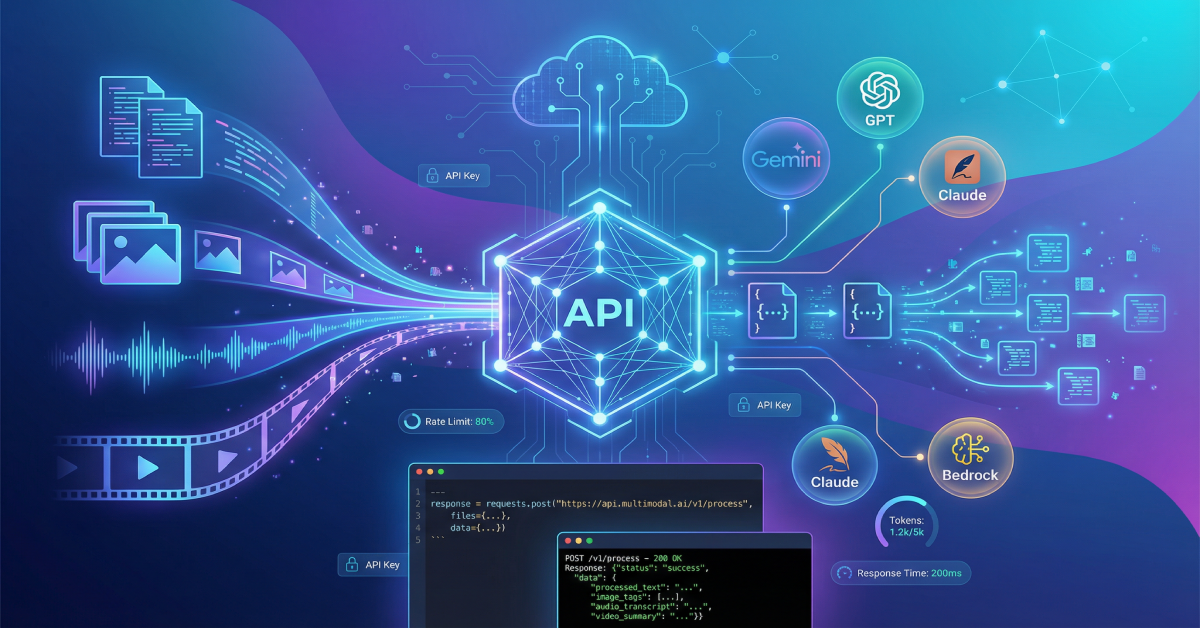
Multimodal AI APIs accept and process multiple data types—text, images, audio, video, and documents—within single API calls rather than requiring separate endpoints for each format. Traditional APIs handle one modality: a transcription API converts speech to text, an image API classifies images, and a language API processes text.
True multimodal APIs like Gemini 3 Pro, GPT-5.2, and Claude Opus 4.5 analyze relationships between inputs across modalities. Send an image with a text question, and the API understands visual context while generating text responses. Provide a video with instructions, and it analyzes visual and audio content simultaneously for comprehensive responses.
This unified processing eliminates complex orchestration logic where developers manually coordinate multiple specialized APIs. One multimodal API call replaces 3-5 separate API requests, reducing latency by 60-80% and simplifying error handling significantly.
Our best multimodal AI models comparison evaluates API capabilities, pricing, and performance across major providers to help choose the right foundation for your application.
REST API Fundamentals
Multimodal AI APIs follow REST (Representational State Transfer) conventions using standard HTTP methods. POST requests send data to APIs for processing, GET requests retrieve results or model information, and DELETE requests cancel long-running operations when supported.
Request structure includes headers for authentication (API keys, OAuth tokens), content-type specifications (application/json for JSON payloads, multipart/form-data for file uploads), and request bodies containing prompts, configurations, and input data.
Responses return JSON objects containing generated content, metadata (token counts, processing time, model version), and error information when requests fail. Status codes follow HTTP standards: 200 for success, 400 for invalid requests, 401 for authentication failures, 429 for rate limit violations, and 500 for server errors.
Understanding these fundamentals enables integration with any multimodal AI API regardless of provider. While specific endpoints and parameters vary, the core request-response pattern remains consistent across platforms.
Authentication and API Keys
All multimodal AI APIs require authentication to track usage, enforce rate limits, and enable billing. Most providers use API keys—long random strings passed in request headers that identify your account and authorize access.
Store API keys securely in environment variables or secret management systems rather than hardcoding in source files. Exposed keys enable unauthorized usage that appears on your bill and may violate provider terms of service resulting in account suspension.
Example authentication header (OpenAI):
Authorization: Bearer sk-proj-xxxxxxxxxxxxx
Some providers offer OAuth 2.0 for user-based authentication in applications where end-users interact with APIs directly. This enables per-user rate limiting and usage tracking rather than application-wide limits.
Rotate API keys regularly (every 30-90 days) as security best practice. Configure key permissions to restrict access to specific APIs or operations when providers support granular access control.
Major Multimodal AI API Providers
Google Gemini API
Google’s Gemini API provides access to Gemini 3 Pro, the highest-performing multimodal model as of December 2025 with a record 1501 Elo score. The API accepts text, images, audio, and video (up to 1 hour) in single requests with a 1-million token context window.
Key features include native video understanding without separate transcription, search grounding for factual accuracy, code execution for mathematical operations, and function calling for tool integration. Gemini API pricing starts at $0.075 per million input tokens and $0.30 per million output tokens with 1,500 free requests daily.
The API ships with SDKs for Python, Node.js, Dart, Swift, and Kotlin enabling rapid integration across platforms. Google Vertex AI provides enterprise deployment with VPC support, data residency controls, and SLA guarantees for production applications.
Free tier generosity makes Gemini ideal for development and testing—1,500 daily requests process approximately 1.5 million tokens, sufficient for extensive experimentation before committing to paid tiers.
OpenAI GPT-5.2 API
OpenAI’s GPT-5.2 API, released December 11, 2025, offers three variants optimized for different use cases: GPT-5.2 Instant for speed, GPT-5.2 Thinking for reasoning, and GPT-5.2 Pro for maximum accuracy. The 400,000-token context window handles extensive documents, codebases, and multi-turn conversations.
The API processes text, images, audio, and video with advanced function calling enabling autonomous tool use. Structured output modes guarantee JSON schema compliance for reliable data extraction. Vision capabilities handle complex visual analysis including UI understanding and diagram interpretation.
Pricing varies by model: GPT-5.2 Instant costs $0.30/$1.20 per million tokens (input/output), GPT-5.2 Thinking runs $2.50/$10 per million tokens, and GPT-5.2 Pro reaches $5/$15 per million tokens. Batch processing at 50% discount reduces costs for non-time-sensitive workloads.
SDKs support Python, Node.js, and .NET with community libraries covering most popular languages. Our upcoming multimodal AI for business guide explores cost optimization strategies for production deployments.
Anthropic Claude API
Anthropic’s Claude Opus 4.5 API, launched November 24, 2025, introduces revolutionary effort parameters letting developers control response thoroughness and token usage dynamically. The API excels at complex visual interpretation with 80.7% MMMU benchmark performance.
Enhanced computer use enables autonomous browser control for web automation, while extended thinking preserves reasoning continuity across conversations. The API supports images and documents (PDFs, CSVs, spreadsheets) with text prompts for comprehensive document analysis workflows.
Claude API pricing is $3/$15 per million tokens (input/output) for Opus 4.5, with Claude Sonnet 3.8 available at $3/$15 for less demanding tasks. The 200,000-token context window handles extensive documents while maintaining coherence.
Python and TypeScript SDKs provide native support with streaming responses for real-time applications. Strong performance on agentic workflows makes Claude ideal for automation systems requiring multi-step reasoning and tool coordination.
Amazon Bedrock
Amazon Bedrock provides unified API access to multiple foundation models including Claude, Llama, Cohere, and Amazon’s own Nova family through a single endpoint. This multi-model approach enables switching providers without code changes while maintaining consistent deployment infrastructure.
Nova Sonic, Amazon’s real-time voice model, combines speech understanding and generation in unified APIs for conversational applications. Bedrock includes fine-tuning capabilities, knowledge base integration, and agents for complex orchestration workflows.
Pricing follows provider-specific rates plus AWS infrastructure costs. Enterprise features include VPC deployment, AWS IAM integration, CloudWatch monitoring, and compliance certifications (SOC, HIPAA, GDPR) required for regulated industries.
Choose Bedrock when AWS ecosystem integration matters, multi-model flexibility reduces vendor lock-in risk, or enterprise governance features justify slightly higher operational complexity compared to direct provider APIs.
DeepSeek API
DeepSeek V3.2 API provides access to the highest-performing open-source multimodal model through both free self-hosting and low-cost hosted API at 50% discount versus V3. Gold-medal performance across mathematics, coding, and reasoning tasks matches or exceeds commercial alternatives.
The API implements sparse attention architecture enabling efficient processing of long contexts while maintaining quality. Thinking-in-tool-use capabilities enable sophisticated multi-step workflows where models plan tool interactions before execution.
Free self-hosting eliminates per-token costs for high-volume applications while hosted API pricing starts at $0.025/$0.10 per million tokens (input/output)—significantly cheaper than GPT or Claude. No rate limits on self-hosted deployments enable unlimited processing for latency-tolerant workloads.
Limited documentation and smaller ecosystem compared to major providers present integration challenges, but cost savings justify extra effort for budget-conscious teams processing significant token volumes.
Multimodal AI APIs Integration Patterns
Basic Text Generation
Start with simple text generation to understand request-response patterns before adding multimodal inputs. Send prompts, receive completions, and handle errors—the foundation for all AI API integration.
Example structure (generic):
json{
  "model": "gemini-3-pro",
  "prompt": "Explain multimodal AI in simple terms",
  "max_tokens": 500,
  "temperature": 0.7
}
Temperature controls randomness (0.0 = deterministic, 1.0 = creative), max_tokens limits response length, and additional parameters like top_p, frequency_penalty, and presence_penalty fine-tune generation behavior.
Handle responses by extracting generated text from JSON response objects, checking for errors, and parsing metadata like token counts for usage tracking. Implement retry logic for transient failures (500 errors, timeouts) with exponential backoff.
Image Input Processing
Add images to requests through base64 encoding or direct URL references depending on provider requirements. Most multimodal AI APIs accept images in JPEG, PNG, WebP, and GIF formats up to 20MB per image.
Example workflow:
- Load image file or retrieve from URL
- Encode as base64 string if required by provider
- Include in API request with text prompt
- Process response containing image analysis
Optimize image sizes before upload—resize to maximum 2048px on longest side for faster processing and lower costs. Providers charge based on tokens processed, with images consuming 85-1700 tokens depending on resolution and model.
Common use cases include visual question answering, image description generation, UI understanding for automation, document analysis with text extraction, and visual similarity comparison for search applications.
Audio and Video Processing
Process audio through transcription, translation, or analysis APIs depending on use case. Modern multimodal models handle audio directly without separate transcription steps, simplifying workflows significantly.
For video processing, providers either accept video files directly (Gemini supports up to 1 hour) or require frame extraction and sequential processing. Direct video upload eliminates preprocessing complexity when available.
Example video analysis request:
- Upload video file or provide URL
- Specify analysis task (summarization, Q&A, transcription)
- Receive structured response with timestamps
- Extract key moments or generate content
Audio and video consume significantly more tokens than text or images—a 1-minute video processes approximately 10,000-30,000 tokens depending on provider. Budget accordingly and implement caching strategies for repeated analysis of the same content.
Explore practical applications in our AI content creation workflows guide, including automated video-to-blog conversion covered in our video to blog AI guide.
Streaming Responses
Stream responses token-by-token for real-time user experiences rather than waiting for complete generation. Streaming reduces perceived latency by 60-80% even though total processing time remains constant.
Enable streaming by setting stream: true in requests and processing server-sent events (SSE) as they arrive. Each event contains a delta—the next token(s) in the generation—which you append to display buffer in real-time.
Handle stream termination gracefully by detecting final events (usually containing [DONE] markers) and cleaning up connections. Implement error handling for mid-stream failures where partial responses require re-processing or user notification.
Streaming proves essential for chat applications, live coding assistants, and interactive content generation where users benefit from immediate feedback rather than waiting 10-30 seconds for complete responses.
Function Calling and Tool Use
Enable AI models to call external functions and APIs autonomously through function calling (also called tool use). Define available functions with JSON schemas describing parameters, and models determine when to invoke them based on user requests.
Workflow pattern:
- Define functions with schemas (name, description, parameters)
- Send user request with function definitions
- Model responds with function call requests
- Execute functions and return results
- Model incorporates results into final response
Example use cases include database queries, API calls to external services, calculations requiring precision, file operations, and multi-step workflows requiring orchestration across systems.
Implement security controls around function execution—validate all parameters, enforce rate limits, and restrict access to sensitive operations. Models occasionally hallucinate function calls with invalid parameters requiring validation before execution.
Master effective multimodal AI prompts to optimize function calling reliability and reduce hallucination rates in production systems.
Batch Processing
Process large workloads efficiently through batch APIs offering 50% cost discounts versus real-time APIs. Upload collections of requests, receive batch IDs, and retrieve results asynchronously when processing completes (typically 24 hours).
Batch processing suits analytics workloads, content generation pipelines, data transformation tasks, and any use case tolerating 12-24 hour latency for significant cost savings.
Implement batch workflows by collecting requests over time windows (hourly, daily), submitting batches during off-peak hours, monitoring batch status via polling or webhooks, and processing results when ready.
Calculate cost savings carefully—batch discounts apply only to successful requests. High error rates in batches eliminate savings and add complexity compared to real-time processing with immediate error handling.
API Best Practices and Optimization
Rate Limit Management
All multimodal AI APIs enforce rate limits measured in requests per minute (RPM), tokens per minute (TPM), or requests per day (RPD). Exceeding limits triggers 429 errors requiring retry with exponential backoff.
Implement token bucket or sliding window algorithms to track usage and throttle requests before hitting limits. Monitor usage through provider dashboards and adjust application behavior when approaching thresholds.
For applications with spiky traffic, implement request queuing with worker pools processing at sustained rates below limits. This smooths traffic patterns and prevents limit violations during peak loads.
Request rate limit increases from providers when legitimate use cases require higher throughput. Enterprise plans typically offer 10-100x higher limits than free tiers plus dedicated support for limit negotiations.
Error Handling Strategies
Implement comprehensive error handling covering network failures, authentication errors, rate limits, invalid requests, and server errors. Different error types require different retry strategies.
Retry transient errors (500s, timeouts) with exponential backoff starting at 1 second and doubling up to 60 seconds maximum. Stop retrying after 3-5 attempts to avoid infinite loops.
Don’t retry authentication errors (401), invalid requests (400), or quota exhaustions—fix the underlying issue instead. Log all errors with request IDs for debugging and monitoring.
Implement circuit breakers that stop calling failing APIs temporarily when error rates exceed thresholds (e.g., 50% errors over 1 minute). This prevents cascading failures and gives providers time to recover from incidents.
Cost Optimization Techniques
Monitor token usage carefully as costs scale with volume—applications processing millions of daily requests face $10,000+ monthly bills without optimization. Implement usage tracking per user, feature, and request type to identify expensive operations.
Optimize prompts for conciseness—unnecessary context wastes tokens and money. Use system prompts to set standing instructions rather than repeating them per request. Cache responses for repeated queries when data freshness permits.
Choose appropriate models for each task—don’t use GPT-5.2 Pro ($15/M tokens output) for simple tasks where Gemini Flash ($0.075/M tokens) suffices. Implement model routing logic selecting least-expensive model meeting quality requirements.
Leverage batch processing for workloads tolerating latency, use streaming to cancel expensive generations early when results prove unsatisfactory, and implement usage quotas preventing runaway costs from bugs or abuse.
Security Considerations
Never expose API keys in client-side code, public repositories, or logs. Use backend proxy services that call AI APIs on behalf of clients, keeping keys secure on servers with proper access controls.
Validate and sanitize all user inputs before sending to APIs. Implement injection attack prevention by escaping special characters, limiting input lengths, and filtering malicious content patterns.
Implement rate limiting per user to prevent abuse where single users consume entire quotas. Monitor for unusual usage patterns indicating compromised credentials or malicious activity.
Comply with data privacy regulations (GDPR, CCPA) by implementing data minimization, obtaining user consent for AI processing, and honoring deletion requests. Review provider data processing agreements to ensure compliance with your obligations.
Explore enterprise implementation strategies in our multimodal AI for business guide covering security, compliance, and governance for production deployments.
FAQ
What’s the difference between multimodal AI APIs and single-purpose APIs?
Multimodal AI APIs process multiple data types (text, images, audio, video) in single requests and understand relationships between modalities, while single-purpose APIs handle only one format and require separate calls for each type. Multimodal APIs reduce latency 60-80% and eliminate complex orchestration logic compared to coordinating multiple specialized APIs.
How much do multimodal AI APIs cost?
Pricing ranges from $0.05 to $15 per million tokens depending on model and provider. Input tokens (your prompts and data) typically cost 60-80% less than output tokens (generated responses). Images consume 85-1700 tokens, audio uses approximately 400 tokens per minute, and video processes 10,000-30,000 tokens per minute. Most providers offer free tiers for development and testing before committing to paid usage.
Which multimodal AI API is best for production applications?
For highest capability and performance, Gemini 3 Pro leads with superior benchmarks and generous free tier. For enterprise compliance and governance, Claude Opus 4.5 via Amazon Bedrock offers AWS integration and certifications. For cost-sensitive applications at scale, DeepSeek V3.2 API provides competitive performance at 50-75% lower costs. Compare options in our best multimodal AI models guide.
How do I handle rate limits in production?
Implement request queuing with worker pools processing at sustained rates below API limits, use exponential backoff retry logic for 429 errors, monitor usage through provider dashboards to anticipate limit violations, and request limit increases from providers for legitimate high-volume use cases. Enterprise plans typically offer 10-100x higher limits than free tiers.
Can multimodal AI APIs process sensitive or private data?
Exercise caution with sensitive data—most providers use API requests for model improvement unless explicitly opted out. Review data processing agreements carefully and use enterprise plans with enhanced privacy guarantees when handling regulated data (healthcare, financial, personal information). For maximum privacy, consider self-hosted open-source alternatives like DeepSeek V3.2 that keep data entirely on your infrastructure.
What programming languages can I use with multimodal AI APIs?
All major providers offer official SDKs for Python and JavaScript/TypeScript, with many supporting additional languages (Java, Go, Ruby, PHP). Because APIs follow REST conventions, any language with HTTP client libraries can integrate multimodal AI APIs even without official SDKs. Community libraries exist for most popular languages not officially supported.
How do I test multimodal AI APIs before building production features?
Use provider playgrounds and interactive documentation for quick experimentation without writing code. Free tiers enable substantial testing—Gemini offers 1,500 daily requests, OpenAI provides $5 initial credit, and Claude offers limited free access. Build proof-of-concept implementations processing representative data volumes to validate performance, accuracy, and cost before full development commitment.
What happens if an AI API goes down or a provider discontinues service?
Implement fallback strategies using multiple providers with similar capabilities, cache responses for critical use cases enabling degraded functionality during outages, and design applications with graceful degradation when AI features unavailable. Major providers maintain 99.9%+ uptime, but API unavailability should never break core application functionality. Abstract AI integrations behind interfaces enabling provider switching without application rewrites.